Connections (Repository Onboarding)
Settings → Connections is where you link VibeReview to your source-control provider so it can read repositories, profile them, and review pull requests. This is the first step of repository onboarding.
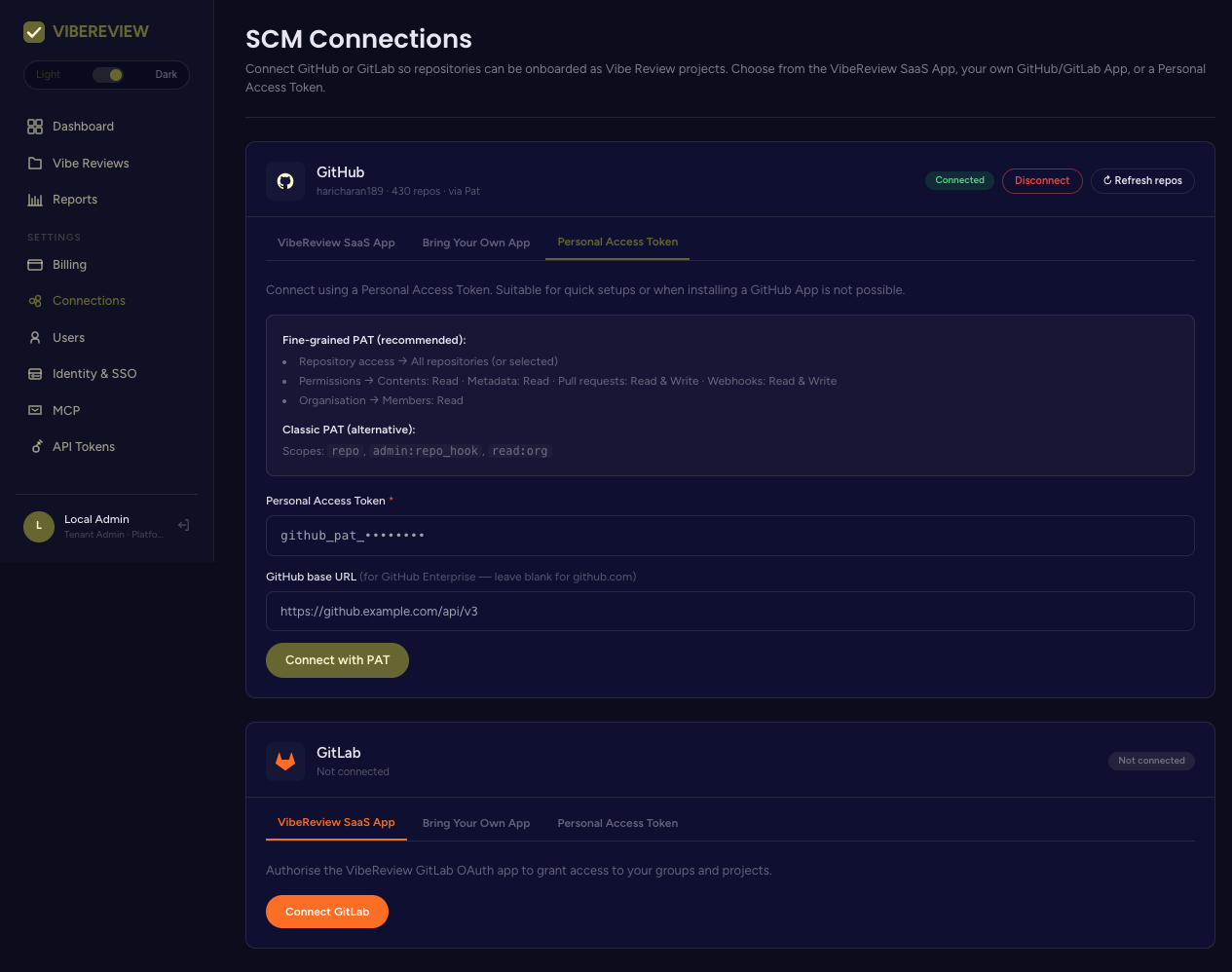
Supported providers
- GitHub — via a GitHub App ("Bring Your Own App") or a Personal Access Token (PAT). GitHub Enterprise is supported by setting a base URL.
- GitLab — via Bring Your Own App, a Personal Access Token, or Connect GitLab.
A connected provider shows its account, repo count, and connection method (e.g. GitHub · 430 repos · via PAT), with Disconnect and ↻ Refresh repos actions.
Connecting GitHub with a PAT
Choose Personal Access Token, paste the token, and (for GitHub Enterprise) optionally set the API base URL, then Connect with PAT.
Recommended fine-grained PAT permissions
| Scope | Access |
|---|---|
| Repository access | All repositories (or selected) |
| Contents | Read |
| Metadata | Read |
| Pull requests | Read & Write |
| Webhooks | Read & Write |
| Organisation → Members | Read |
Classic PAT (alternative)
Scopes: repo, admin:repo_hook, read:org.
The Pull requests: Read & Write and Webhooks: Read & Write permissions are what let VibeReview post PR Review comments and receive PR open/commit webhooks.
Connecting with a GitHub App ("Bring Your Own App")
Use Bring Your Own App to install a GitHub App instead of a PAT. This is the more durable option for organizations — installation-scoped access and webhooks without a personal token.
Connecting GitLab
GitLab offers the same three paths: Bring Your Own App, a Personal Access Token, or the Connect GitLab OAuth flow.
After connecting
Once a provider is connected and repos are synced:
- Create a project and pick a repository (Projects).
- VibeReview runs a quick LLM profiling job and generates repository-tailored guardrails.
- Optionally run the architecture profile and enable PR Review.
If a newly created repository doesn't appear when creating a project, use ↻ Refresh repos on the Connections page to re-sync the provider's repository list.