Guardrails
Guardrails are the deterministic security rules VibeReview applies while your AI assistant writes code. The Guardrails tab of a project is where they are generated, reviewed, filtered, and tuned by the security team.
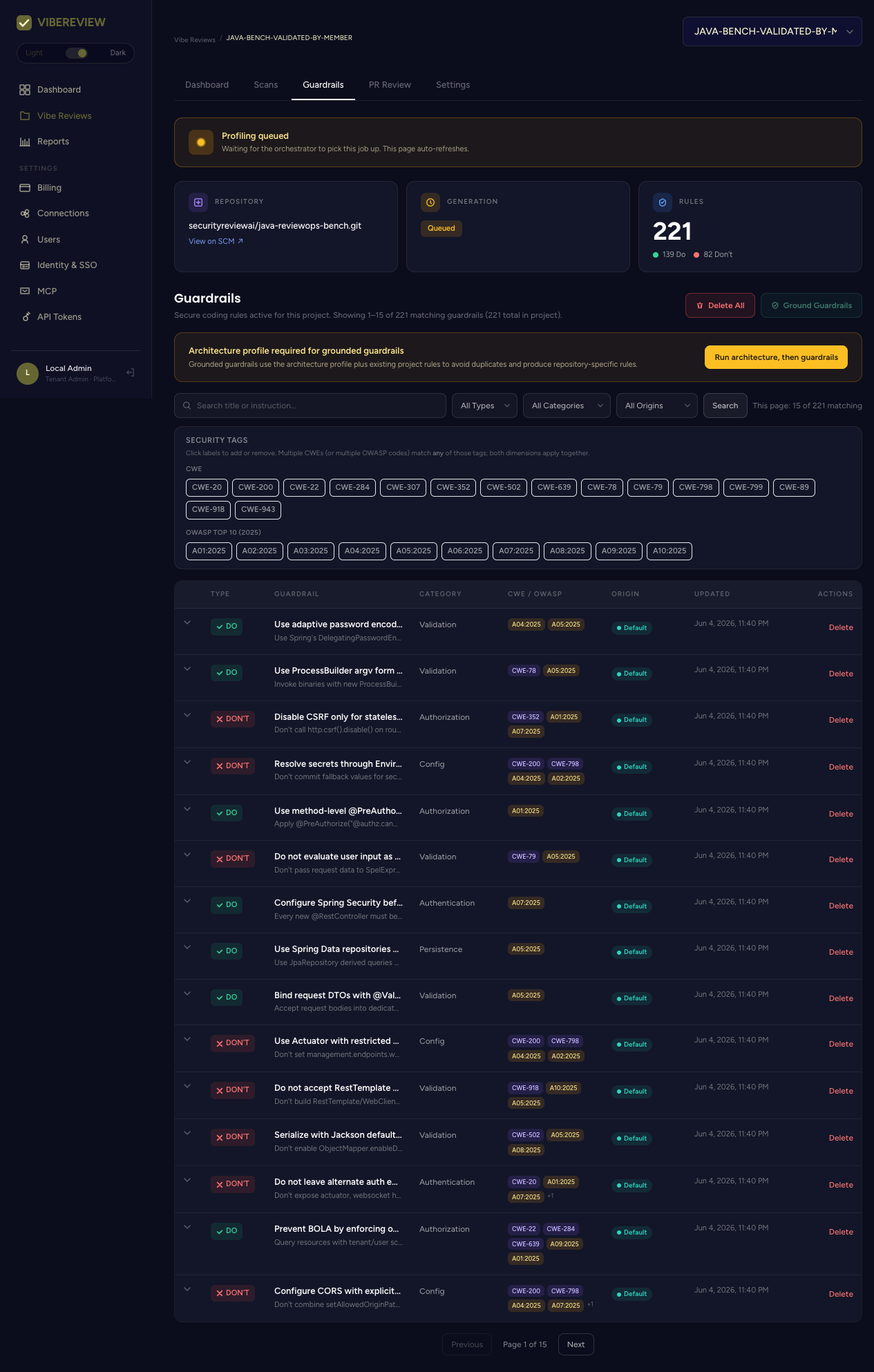
What a guardrail is
Each guardrail is a DO or a DON'T rule with:
- a category — Authentication, Authorization, Config, Data_exposure, Data_integrity, Persistence, or Validation;
- CWE / OWASP mappings (e.g.
CWE-78,A05:2025); - an origin — Default (baseline pack), AI Generated (from profiling your repo), or Manual;
- an updated timestamp.
Real examples from a profiled Java repository:
DO · Use adaptive password encoders (Argon2 or BCrypt) — "Use Spring's
DelegatingPasswordEncoderwith strong adaptive hashes … never useNoOpPasswordEncoderorMessageDigestPasswordEncoder." · Validation ·A04:2025 A05:2025
DON'T · Disable CSRF only for stateless JWT APIs — "Don't call
http.csrf().disable()on routes that still accept session cookies; disable CSRF only when the endpoint is fully stateless and authenticated via Bearer token." · Authorization ·CWE-352 A01:2025 A07:2025
Where guardrails come from
Guardrails are customized to your repository rather than a generic checklist. They are produced by:
- Code profiling — the LLM scan that runs when a project is created or reprofiled, detecting the stack and seeding rules.
- Architecture grounding — running the architecture profile lets VibeReview generate grounded guardrails that respect the repo's services and trust boundaries.
- IDE generation — new guardrails created during coding (origin
ide_generated). - Manual authoring — rules your security team adds or edits.
The pre-built guardrail library (846 rules across 77 packs, plus AI-generated and IDE-generated rules) is available on every plan. Writing your own guardrails (the Manual origin) and sharing them across projects requires Team or above; Enterprise adds org-wide guardrail policy management. See Plans & Pricing. You can author custom guardrails in the dashboard or via the CLI — they appear in your IDE on the next sync.
The tab header shows the generation status, the repository, and the rule counts (e.g. 221 rules · 139 Do · 82 Don't).
Generating & grounding guardrails
Three actions sit at the top of the tab:
| Action | Purpose |
|---|---|
| Run architecture, then guardrails | Profile the architecture and regenerate grounded guardrails in one step. |
| Ground Guardrails | Re-ground the existing guardrails against the latest architecture profile (enabled once an architecture profile exists). |
| Delete All | Clear the project's guardrails. |
Filtering & finding rules
The guardrail table can be filtered by:
- Search (free text),
- Rule type — All / DO / DON'T,
- Category — Authentication, Authorization, Config, Data_exposure, Data_integrity, Persistence, Validation,
- Origin — All / Default Pack / AI Generated / Manual.
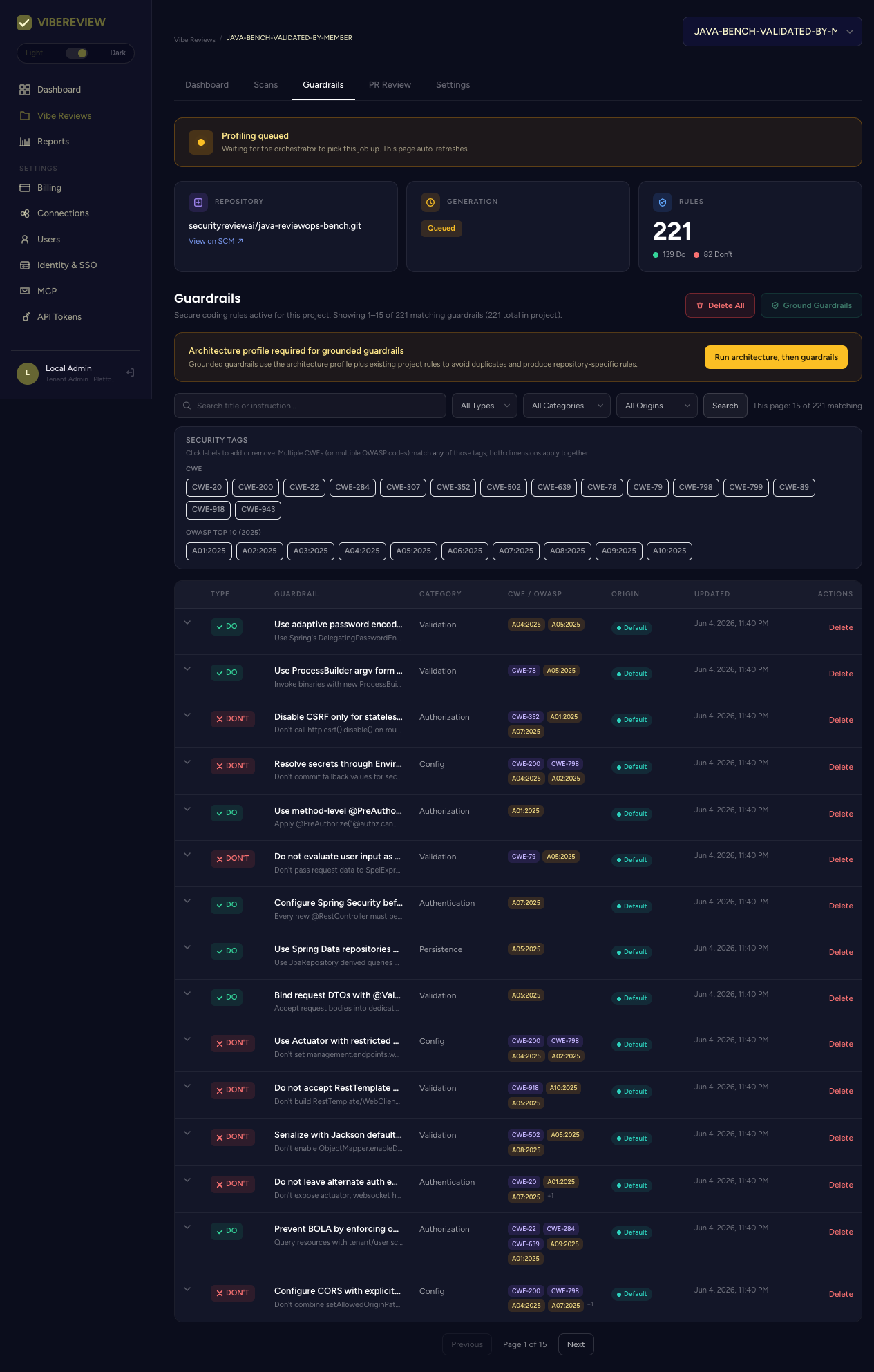
Security tag chips along the top let you filter by CWE (e.g. CWE-20, CWE-22, CWE-78, CWE-89, CWE-352, CWE-502, CWE-918, …) and OWASP Top 10 (2025) codes (A01:2025 … A10:2025). Click a label to add or remove it; multiple CWEs (or multiple OWASP codes) match any of those tags, and both dimensions apply together.
Editing & deleting
Each row is clickable to inspect the full rule, and every row has a Delete action. Because guardrails are the deterministic backbone of secure-by-code, this tab is the primary place a security team tunes policy — adding rules to close gaps, editing wording, or removing rules that no longer apply.
How guardrails are used
- At coding time, the
guardrails-selectionskill shortlists the relevant guardrails for each change, and the assistant implements against them. - At PR time, guardrail violations are detected and written back as PR comments — see PR Review.
- In reporting, guardrail adherence and OWASP coverage roll up into the Reports.
The categories authentication, authorization, data_exposure, and data_integrity
are treated as critical. Under critical or always
approval mode, guardrails in these categories
are tagged requires_approval=true and pause for human confirmation.