MCP & Approval Mode
Settings → MCP controls the default IDE approval mode for the tenant — how much human-in-the-loop confirmation VibeReview requires before applying guardrails in the AI IDE.
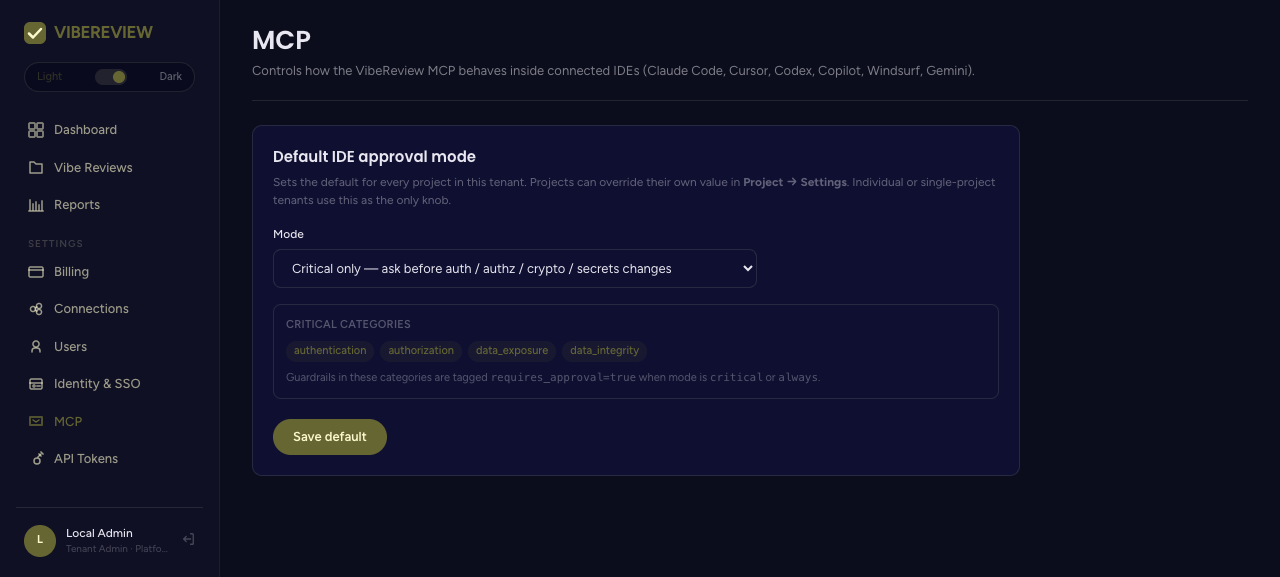
Default IDE approval mode
This setting is the tenant-wide default for every project. Individual projects can override it in their own Settings tab; individual or single-project tenants use this as the only knob.
| Mode | Behavior |
|---|---|
| Auto | Apply guardrails silently (default). |
| Critical only | Ask before authentication / authorization / crypto / secrets changes. |
| Always | Ask before every guardrail change. |
Click Save default to apply.
Critical categories
When the mode is critical or always, guardrails in these categories are
tagged requires_approval=true, so the AI assistant pauses for human confirmation
before applying them:
authenticationauthorizationdata_exposuredata_integrity
How it maps to the CLI
The tenant/project approval mode corresponds to the CLI's --approval-mode flag on
init, whose values are auto, critical, and
always. Setting it here establishes the default; the CLI flag can set or override
it locally for a given workspace.
Choosing a mode
| You want… | Use |
|---|---|
| Frictionless secure-by-default coding | Auto |
| A checkpoint on the highest-risk changes only | Critical only |
| Maximum oversight / regulated environments | Always |
Critical only is a good balance for most teams — guardrails apply automatically for routine work, while sensitive changes to auth, authorization, secrets, and data exposure still get a human in the loop.