PR Review
PR Review is VibeReview's trust-but-verify safety net. While the CLI loop makes code secure as it is written, PR Review checks code after it is committed: when a pull request violates a guardrail, the violation is written back into the PR as a review comment for the developer to act on.
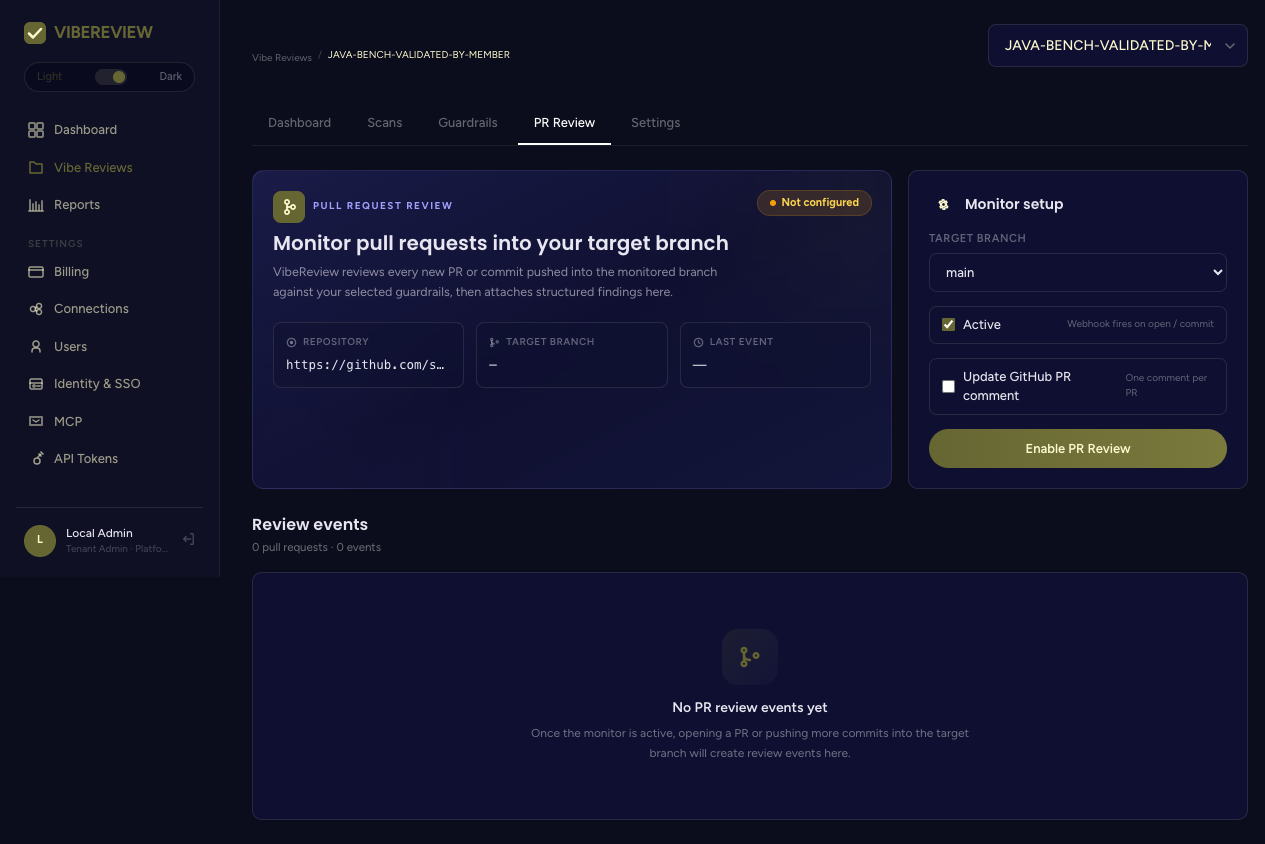
What it monitors
The PR Review tab monitors pull requests into a target branch of the project's repository. Its status card shows:
| Field | Meaning |
|---|---|
| Status | Not configured until you enable it; otherwise active. |
| Repository | The connected repo being monitored. |
| Target branch | The branch PRs are reviewed against. |
| Last event | The most recent review event. |
Enabling PR Review
Under Monitor setup, choose the target branch (e.g. main) and toggle the
options, then click Enable PR Review:
- Active — the webhook fires on PR open / commit.
- Update GitHub PR comment — keep one comment per PR, updating it in place rather than posting a new comment each time.
Enabling requires a connected source-control provider with PR and webhook permissions — see Connections.
Review events
Once the monitor is active, opening a PR or pushing more commits into the target branch creates review events, listed under Review events with PR and event counts. Each event captures the guardrail evaluation outcome for that PR state.
Before any PRs are reviewed, the tab reads: "No PR review events yet. Once the monitor is active, opening a PR or pushing more commits into the target branch will create review events here."
How it fits the architecture
PR review benefits from the architecture profile (run it from the project's Settings tab) for architectural context, and it evaluates the same guardrails used during coding — so the policy that shapes code at write time is the policy enforced at review time.
Quotas
PR reviews are metered by your plan: 25 total on Demo, 75/month on Individual, 1,000/month on Team, and unlimited on Enterprise. Track usage under Billing and see Plans & Pricing for the full comparison.