Welcome to VibeReview
VibeReview brings security into the moment code is written. It threat-models every prompt you give an AI coding assistant, pulls down deterministic security guardrails tailored to your repository, and steers the assistant to build a feature that is secure by design and secure by code — before the code ever lands.
This documentation walks through the product screen by screen, as a tenant administrator, covering the CLI, the web application, and every configuration surface.
The two halves of VibeReview
VibeReview has a local half and a cloud half that work together.
| What it is | Where it runs | |
|---|---|---|
| The CLI | @securityreviewai/vibereview installs rules, skills, and an MCP server into your project so your AI IDE threat-models prompts and applies guardrails as it writes code. | Your machine / repository |
| The web application | Onboards repositories, generates repository-tailored guardrails, reviews pull requests, and surfaces telemetry, compliance reports, and team activity. | api-staging.vibereview.app (this guide's environment) |
What VibeReview does, end to end
- Install the CLI in a project. It installs rules, skills, and an MCP server into your AI IDE (Cursor, Claude Code, Codex, and more) and links the project to the web application.
- Onboard the repository in the web app via a GitHub App or a GitHub/GitLab Personal Access Token. A quick LLM job profiles the codebase and generates guardrails customized to that repository — concrete do's and don'ts rather than a generic checklist.
- Write prompts as usual in your AI coding tool. VibeReview automatically threat-models each prompt (secure by design) and applies the repository's deterministic guardrails (secure by code) so the assistant builds the feature securely.
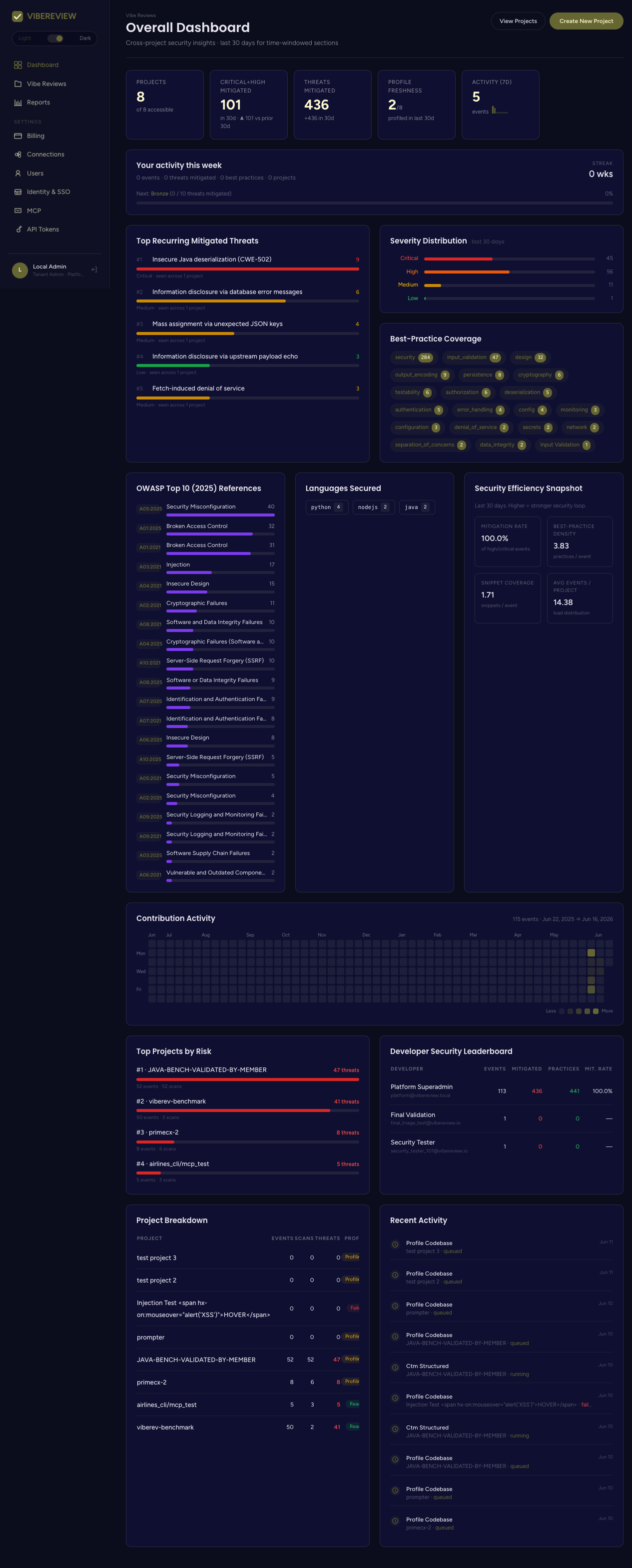
- Telemetry flows back to the web app: which threats were mitigated, which best practices were applied, by which developer, mapped to compliance frameworks like OWASP ASVS and PCI DSS.
- Pull requests are reviewed on a trust-but-verify basis: when a PR violates a guardrail, the violation is written back into the PR as a review comment.
- Security teams tune the guardrails — add, modify, or remove them — and read compliance and developer reports.
How to read these docs
- New to VibeReview? Start with Getting Started → Overview and How It Works.
- Comparing tiers? See Plans & Pricing — every plan-gated feature in these docs links back to it.
- Setting up a project? Jump to the Quickstart.
- Looking for a specific command or screen? Use the sidebar — every CLI command and every web screen has its own page.
All screenshots in this documentation were captured from the staging environment
at https://api-staging.vibereview.app, signed in as a Tenant Admin /
Platform Superadmin. Your own URLs, projects, and data will differ.