Reports
The Reports area turns the security telemetry collected during coding and PR review into shareable security, activity, and compliance intelligence across your projects.
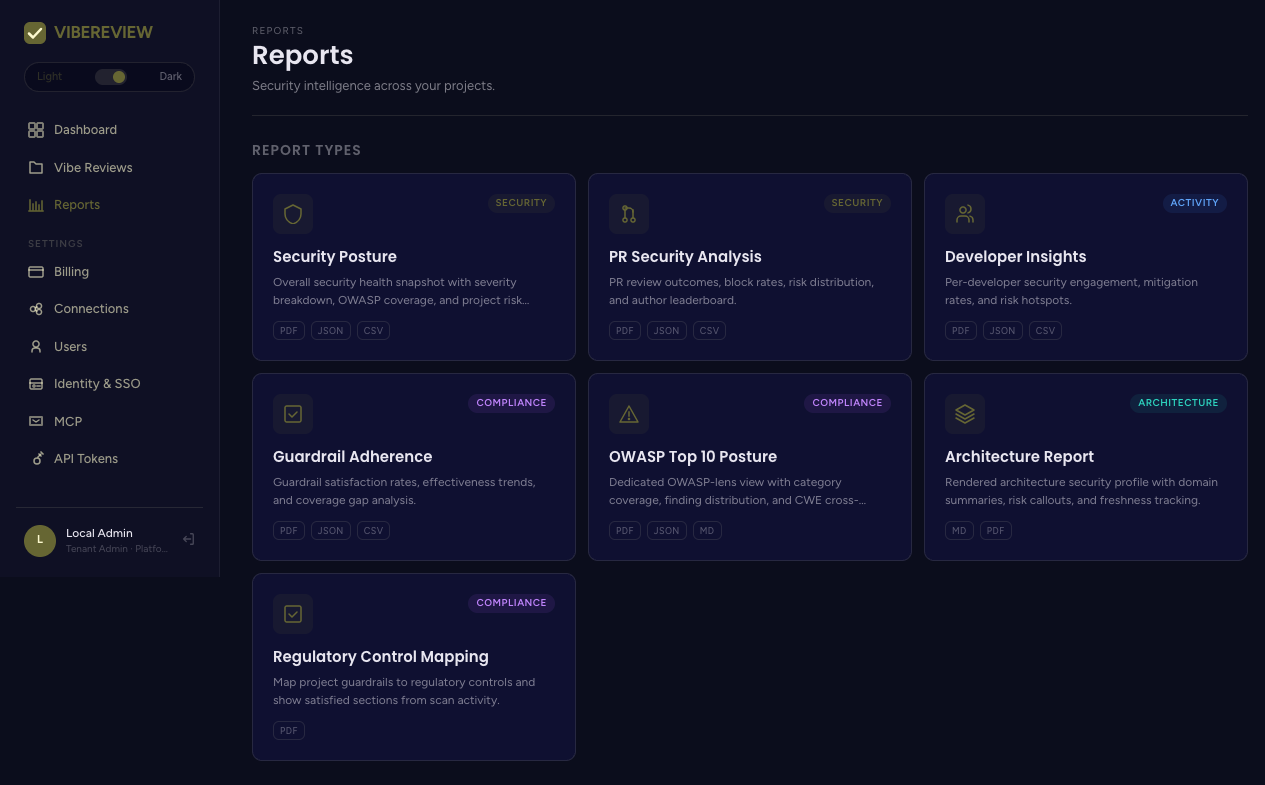
Report catalog
Seven report types are available, each grouped by lens (Security / Activity / Compliance / Architecture) and exportable in one or more formats:
| Report | Lens | Description | Exports |
|---|---|---|---|
| Security Posture | Security | Overall health snapshot: severity breakdown, OWASP coverage, project risk matrix. | PDF · JSON · CSV |
| PR Security Analysis | Security | PR review outcomes, block rates, risk distribution, author leaderboard. | PDF · JSON · CSV |
| Developer Insights | Activity | Per-developer engagement, mitigation rates, risk hotspots. | PDF · JSON · CSV |
| Guardrail Adherence | Compliance | Guardrail satisfaction rates, effectiveness trends, coverage gaps. | PDF · JSON · CSV |
| OWASP Top 10 Posture | Compliance | OWASP-lens view with category coverage, finding distribution, CWE cross-reference. | PDF · JSON · MD |
| Architecture Report | Architecture | Rendered architecture security profile with domain summaries, risk callouts, freshness. | MD · PDF |
| Regulatory Control Mapping | Compliance | Maps project guardrails to regulatory controls and shows satisfied sections from scan activity. |
Interactive report views
Opening a report renders an interactive view before export. Common controls
include a project selector (a single project or All projects / tenant-wide)
and a time window: 7d, 30d, 90d, qtd, ytd, all, plus Refresh.
Security Posture
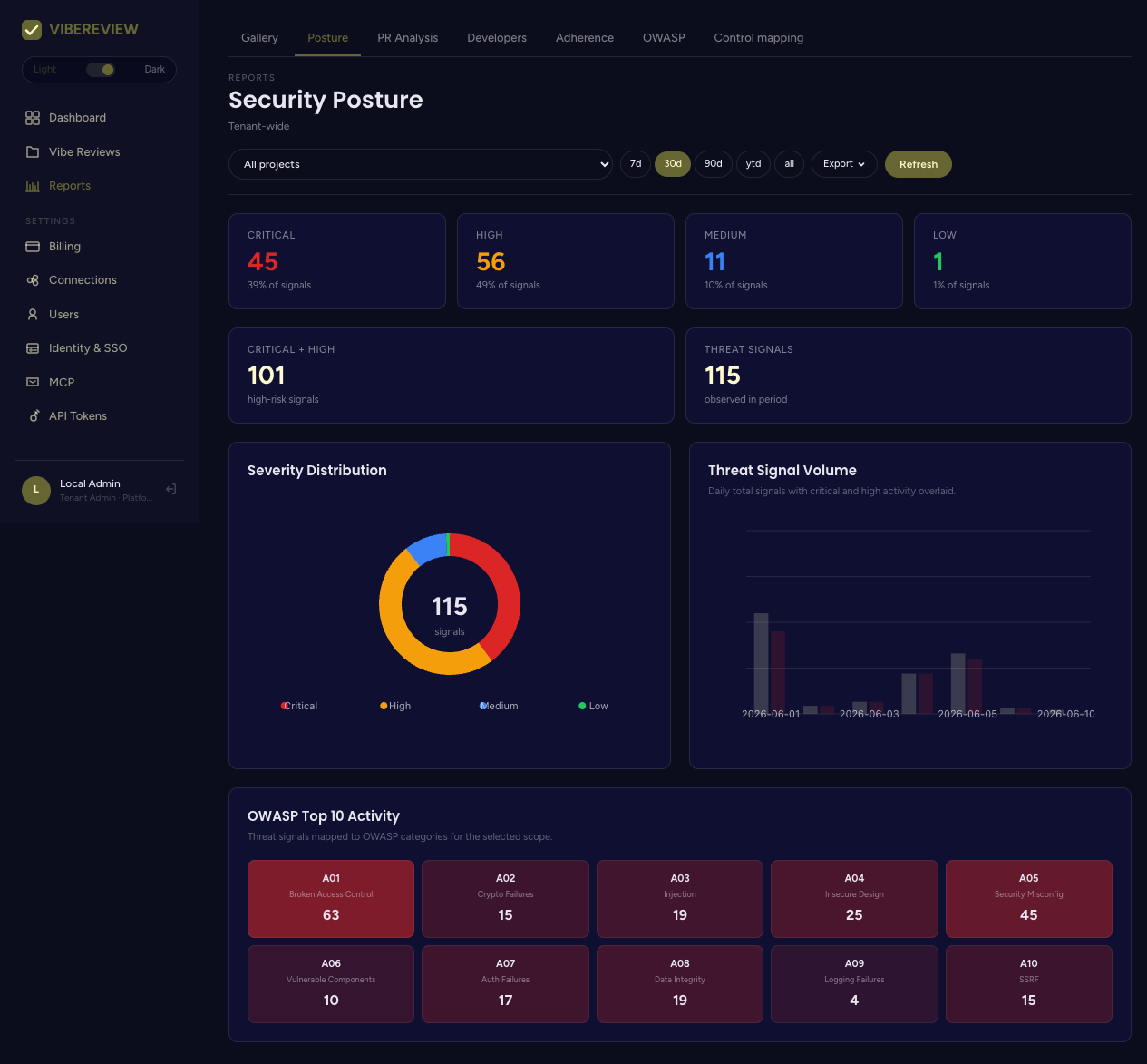
Panels include Severity Distribution, Threat Signal Volume, and OWASP Top 10 Activity, with an Export button for PDF/JSON/CSV.
OWASP Top 10 Posture
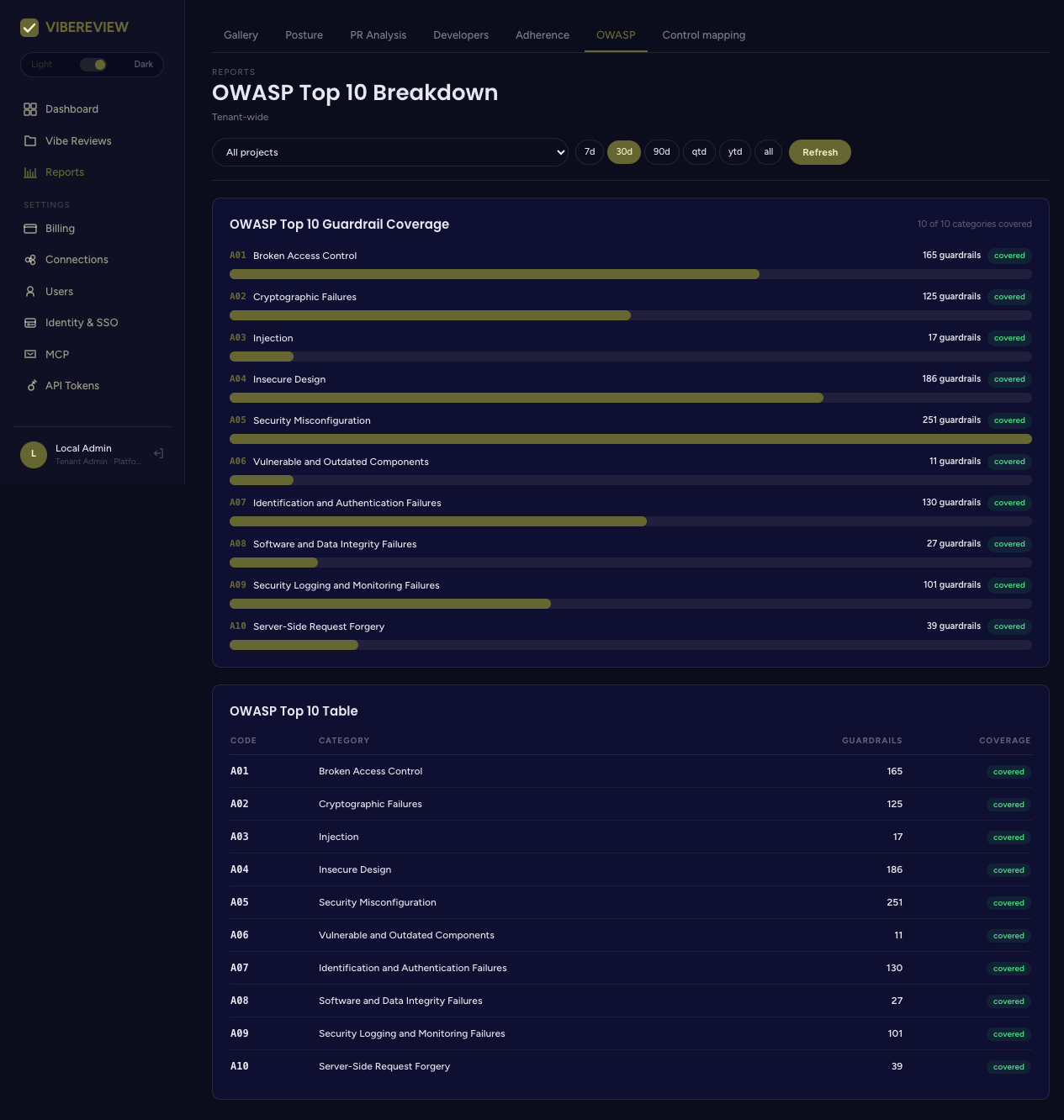
Shows OWASP Top 10 Guardrail Coverage — how many guardrails cover each category (e.g. A05 Security Misconfiguration · 251 guardrails covered) and how many of the ten categories are covered overall.
Compliance reporting
Because every guardrail maps to CWE/OWASP references and projects can declare frameworks (OWASP ASVS, PCI DSS, ISO 27001, NIST, HIPAA, GDPR, and more — set when creating a project), the compliance reports let you:
- show guardrail adherence and effectiveness over time,
- map guardrails to regulatory controls and see which control sections are satisfied by actual scan activity, and
- demonstrate OWASP Top 10 coverage for audits.
Exporting
Each report card and interactive view exposes export buttons for its supported formats — PDF for sharing, JSON/CSV for data pipelines, and MD for docs/wikis. Choose the project scope and time window first so the export reflects exactly the slice you need.