Scans & Events
The Scans tab is where the security telemetry from your AI IDE lands. A scan is one coding task/workflow reported from the IDE; each scan contains one or more events describing what was built and what security was applied.
Scan history
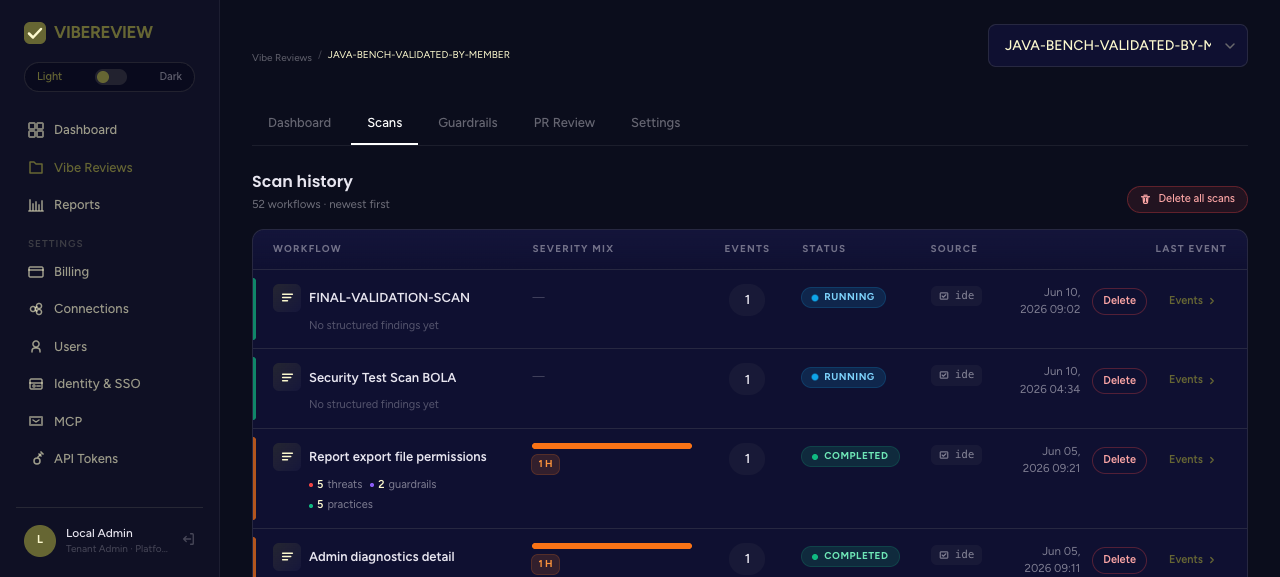
The scan history table lists every scan with:
| Column | Meaning |
|---|---|
| Workflow | The task name (e.g. Report export file permissions) with a quick summary of threats / guardrails / practices. |
| Severity Mix | Severity badges for the findings (e.g. 1 H). |
| Events | Number of events in the scan. |
| Status | RUNNING or COMPLETED. |
| Source | Where it came from (e.g. ide). |
| Last Event | Timestamp. |
| Actions | Events (drill in) and Delete. |
A Delete all scans action is available for cleanup.
Events list
Clicking Events on a scan opens the events view, with filters for Severity, Type, Sort order, and Developer, plus free-text search.
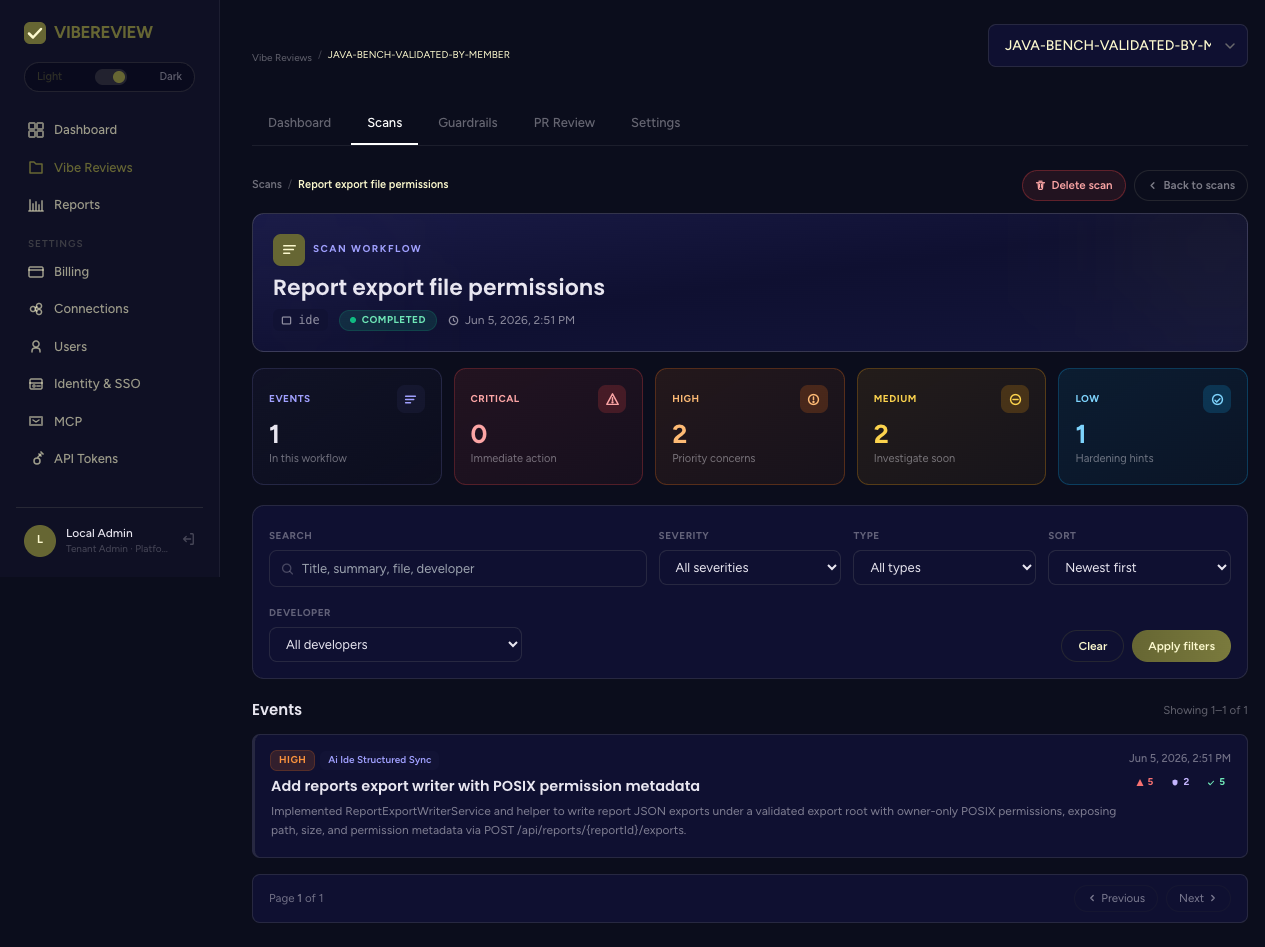
Each event row shows its severity, type (e.g. Ai Ide Structured Sync), title, description, timestamp, and counts of threats / guardrails / practices. The header tiles summarize Critical / High / Medium / Low across the workflow.
Event detail — the heart of the record
Opening an event shows the complete security story for that change. This is the telemetry pushed back from the IDE after the secure-by-design + secure-by-code loop ran.
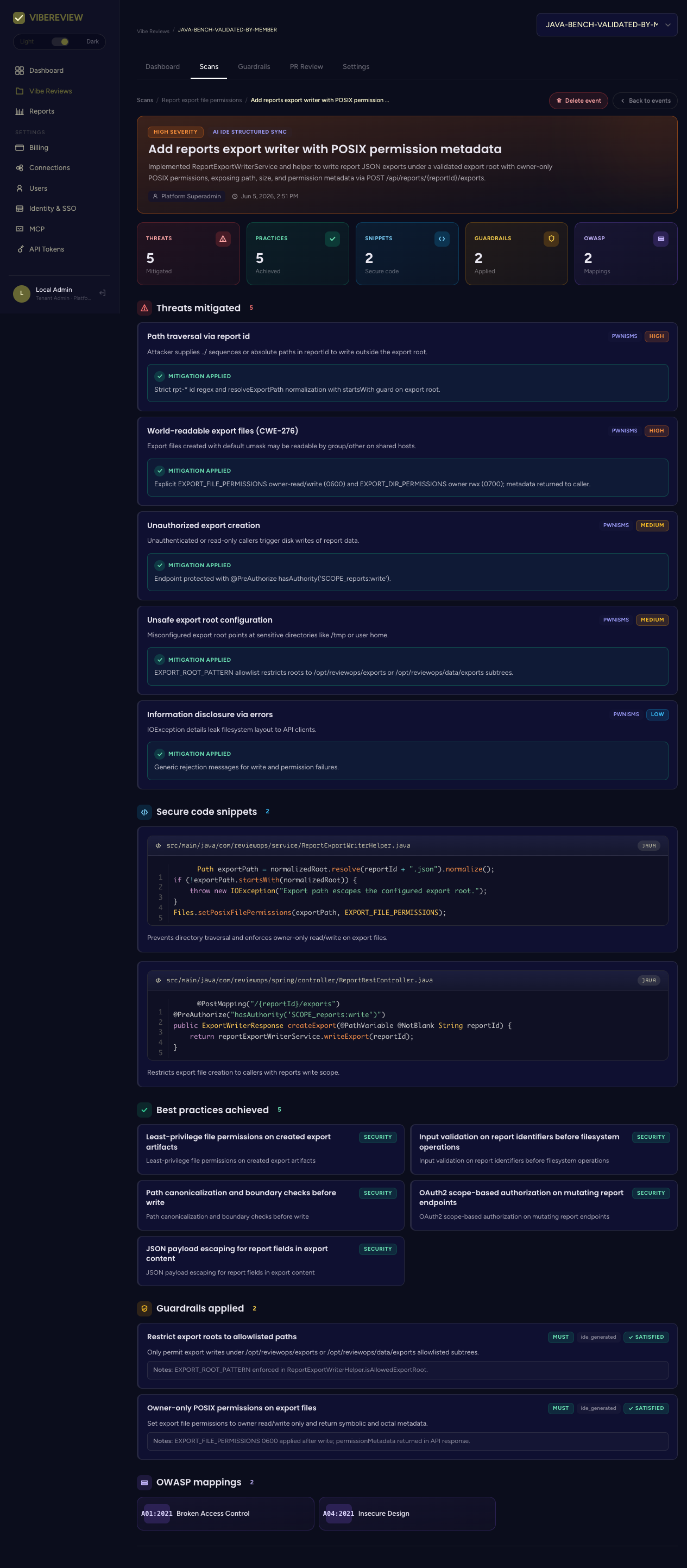
The header shows severity, type, the developer, timestamp, and summary tiles: Threats (mitigated), Practices (achieved), Snippets (secure code), Guardrails (applied), and OWASP (mappings).
Threats mitigated
Each threat is a PWNISMS-tagged risk the threat model surfaced, with a severity, an attack scenario, and the mitigation applied. For example:
Path traversal via report id —
PWNISMS·HIGHAttacker supplies../sequences or absolute paths inreportIdto write outside the export root. Mitigation applied: Strictrpt-*id regex andresolveExportPathnormalization withstartsWithguard on export root.
World-readable export files (CWE-276) —
PWNISMS·HIGHMitigation applied: Explicit owner-read/write (0600) file permissions and ownerrwx(0700) directory permissions; metadata returned to caller.
Secure code snippets
The actual code that implemented the mitigations, with file path, language, and a short explanation. These make the security work auditable down to the line:
Path exportPath = normalizedRoot.resolve(reportId + ".json").normalize();
if (!exportPath.startsWith(normalizedRoot)) {
    throw new IOException("Export path escapes the configured export root.");
}
Files.setPosixFilePermissions(exportPath, EXPORT_FILE_PERMISSIONS);
Best practices achieved
Tagged practices that the change satisfied — e.g. Least-privilege file permissions on created export artifacts, Input validation on report identifiers before filesystem operations, Path canonicalization and boundary checks before write.
Guardrails applied
The specific project guardrails the change satisfied, each typed MUST /
SHOULD, with origin (e.g. ide_generated) and a SATISFIED status plus
notes pointing at where it was enforced.
OWASP mappings
The OWASP Top 10 categories the event maps to (e.g. A01:2021, A04:2021),
feeding the compliance and OWASP reports.
How this connects to the CLI
These events originate from the structured JSON artifacts the IDE writes to
.vibereview/scans/, synced by the sync / flush
commands. See The Skills Workflow for how the
artifacts are produced.